 Kurdal Apps
aniLang
Language learning
AI English speaking coach that corrects you while you talk
aniLang is an AI English speaking coach that corrects your mistakes while you talk and explains each correction in your language. It is made for adults who understand English but freeze when they have to speak, whether for work, a job interview, IELTS or TOEFL speaking practice or travel. aniLang runs on iPhone and Android, is free to download and offers an optional Premium subscription with a free trial; prices are shown in the App Store and Google Play.
- iPhone and Android
- Free to download
- Premium with free trial
- App in 6 languages
Free to download. Optional Premium subscription; prices are shown in the store.
See aniLang in action
18 seconds of the real app: a coffee-shop role-play where the coach fixes a mistake as you speak.
- You answer the barista out loud in a role-play scenario.
- aniLang catches the mistake: “allergic of milk” becomes “allergic to milk”.
- The card shows why, plus a more natural way to say it.
- The barista replies and the conversation keeps going.
How it works
Talk or type
Answer the coach by voice or text. It replies briefly at your level and asks you a follow-up question.
See the fix
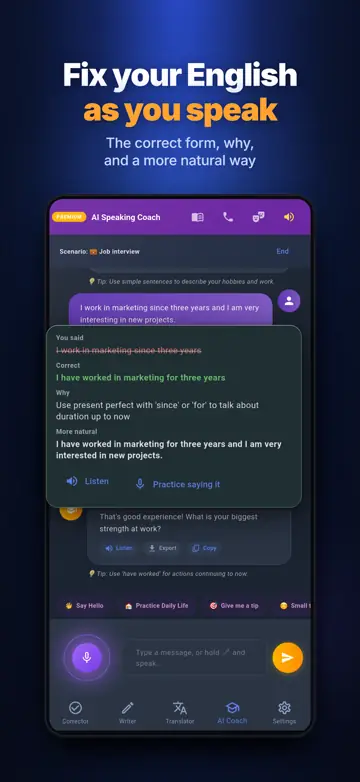
Each mistake gets a card: what you said, the correct form, why (in your language) and a more natural way to say it.
Review and repeat
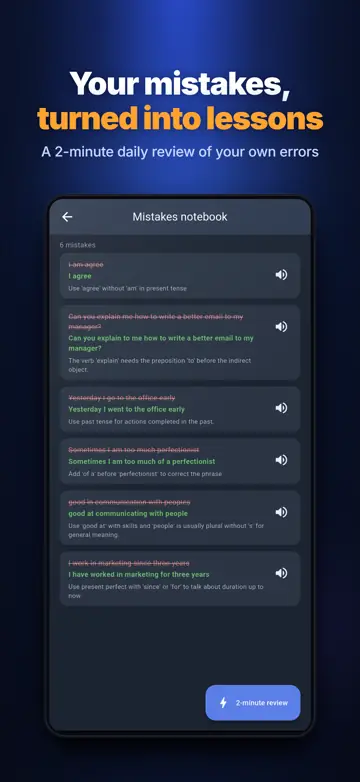
Corrections go into your mistakes notebook, and a 2-minute daily review brings them back until they stick.
Features
Corrections while you speak
Voice and text conversations with an AI coach that fixes grammar and word choice and explains why.
21 role-play scenarios
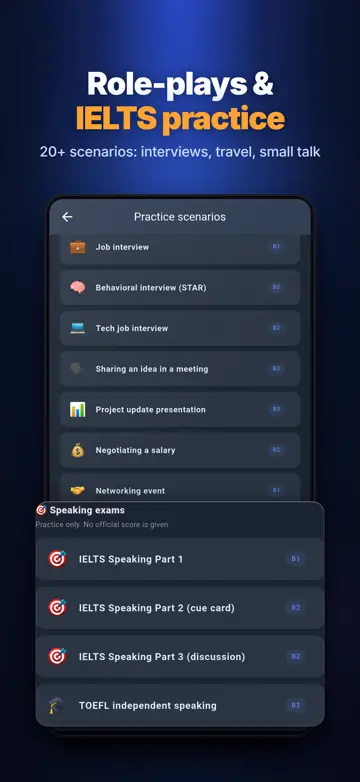
Café, doctor, airport, hotel, job interview, salary talk, IELTS Speaking Parts 1–3 and TOEFL practice, or write your own scenario.
Hands-free call mode
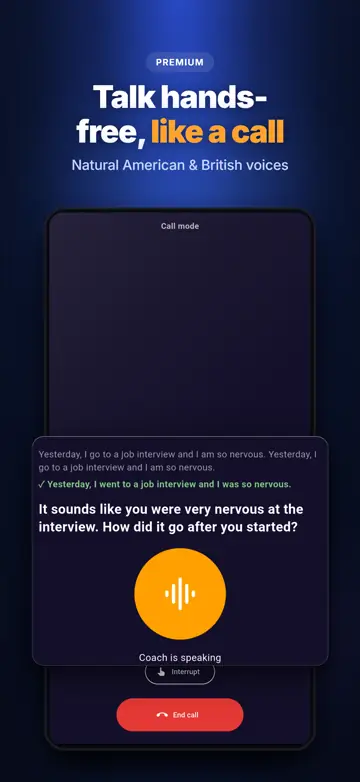
Talk like on a phone call: speak, pause, and the coach answers by voice within a few seconds. Natural American and British voices (Premium).
Pronunciation check
Say the correct sentence out loud and see which words were not understood. It lists words; it does not give a score.
Mistakes notebook and daily review
Your own errors, a 2-minute daily review, short lessons for 20 common error types, a daily goal, reminders and a streak.
Writing tools
Grammar corrector with explanations, tone changer, paraphrase and summary, a translator for 50+ languages and text scanning from a photo.
Screenshots
Who it's for
- You understand English but go quiet when you have to speak.
- You have a job interview, a meeting or a presentation in English coming up.
- You are preparing for the IELTS or TOEFL speaking section and want regular practice.
- You want corrections explained in Turkish, German, French, Italian or Spanish, not only in English.
How it compares
Apps such as Speak, ELSA Speak and Praktika also let you practise English with AI. aniLang focuses on one thing: catching your mistakes while you talk, explaining them in your own language and bringing them back in short reviews. It also includes writing tools, so grammar, tone and translation are in the same app. If a detailed pronunciation score matters most to you, a pronunciation-focused app is a better fit.
Read the full comparison: aniLang vs Speak vs ELSA Speak →
What it does
- Corrects grammar and word choice in voice and text conversations
- Explains corrections in your language (6 app languages)
- Role-plays for work, travel and IELTS/TOEFL speaking practice
- Lists the words that were not understood when you read a sentence aloud
What it doesn't do
- No pronunciation score or accent rating
- No exam score or band prediction, and not an official IELTS/TOEFL course
- No human teachers or live classes
- The AI features need an internet connection
Frequently asked questions
Is aniLang free?
Yes. aniLang is free to download, and the free plan includes a coach conversation every day plus limited daily use of the writing tools. Premium removes the limits and adds call mode, natural voices and an unlimited mistakes notebook. Prices are shown in the App Store and Google Play before you subscribe.
Is there a free trial?
Yes. The weekly Premium plan comes with a 3-day free trial and the yearly plan with a 7-day free trial. The store shows the exact offer and price before you confirm.
Which languages does aniLang support?
aniLang teaches English. The app is available in English, Turkish, German, French, Italian and Spanish, and corrections are explained in the language you use the app in. The translator works with more than 50 languages.
What happens to my voice and text?
When you use an AI feature, aniLang sends the text, voice recording or photo you chose to its AI provider, OpenAI, only to give you the result. The app asks for your permission before it shares anything, and the data is not used for advertising. Details are in the aniLang privacy policy.
Does aniLang work offline?
No. The coach, corrections, pronunciation check and writing tools run on AI servers, so you need an internet connection.
How do I cancel Premium?
Subscriptions are handled by Apple and Google. Cancel any time in your App Store account settings on iPhone or in Google Play → Payments & subscriptions on Android. To avoid being charged, cancel before the free trial ends.