 Kurdal Apps
Voxt
Productivity
Turn recordings and video files into text and a summary
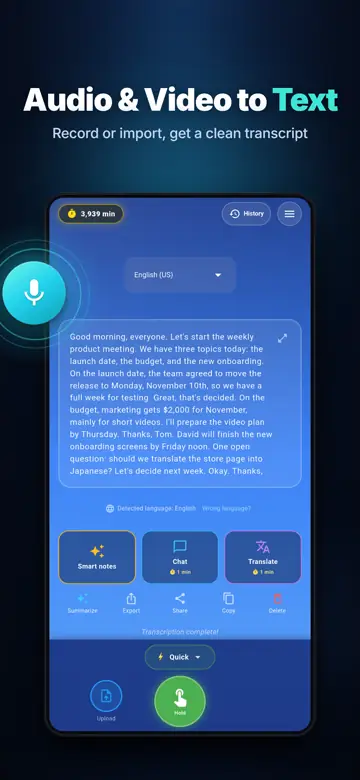
Voxt turns a lecture, meeting, voice memo or video file on your phone into text and a summary. Record in the app or import an audio or video file: Voxt writes the transcript, then makes smart notes, a quiz or a translation, or answers your questions about it. It is built for students, professionals and anyone who records conversations, and runs on iPhone and Android. Voxt is free to download with free minutes every month and an optional Pro subscription with a free trial; prices are shown in the store.
- iPhone and Android
- Free minutes every month
- Pro with free trial
- App in 6 languages
Free to download. Optional Pro subscription; prices are shown in the store.
See Voxt in action
19 seconds of the real app: live transcription, then smart notes for a meeting.
- Hold the record button: Voxt writes the transcript live as you speak.
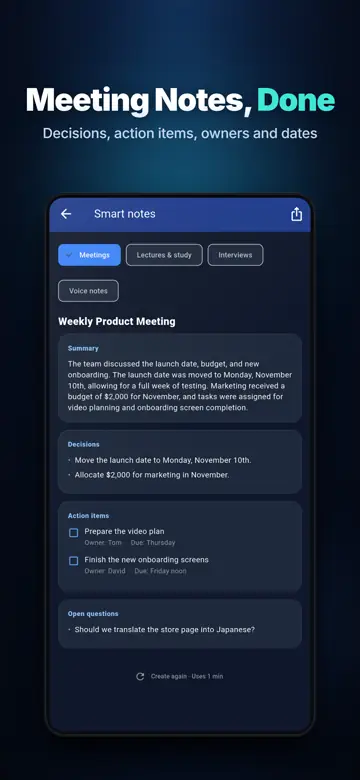
- Open a meeting transcript and choose Smart notes → Meetings.
- You get a summary and the decisions that were made.
- Action items come with an owner and a due date.
How it works
Record or import
Record in the app, even with the screen locked, or pick an audio or video file from your phone.
Get the transcript
Voxt detects the spoken language and writes the text. If it picked the wrong language, you can redo it in the right one.
Make it useful
Create smart notes for a meeting, lecture, interview or voice note, translate it, chat with it or export it.
Features
Audio and video files
Common audio formats (MP3, M4A, WAV, FLAC and more) and video files (MP4, MOV, MKV and more); the audio track is extracted on your phone before upload.
Recording that keeps going
Pause and resume, keep recording in the background or with the screen off, and upload later if you are offline.
Smart notes
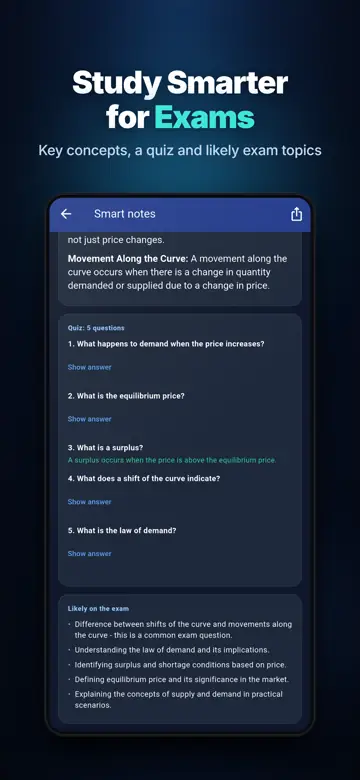
Meeting notes with decisions and action items, lecture notes with key concepts and a 5-question quiz, plus interview and voice-note templates.
Translate and chat
Translate a transcript into 70+ languages or ask questions about it, for example to prepare for an exam.
Export
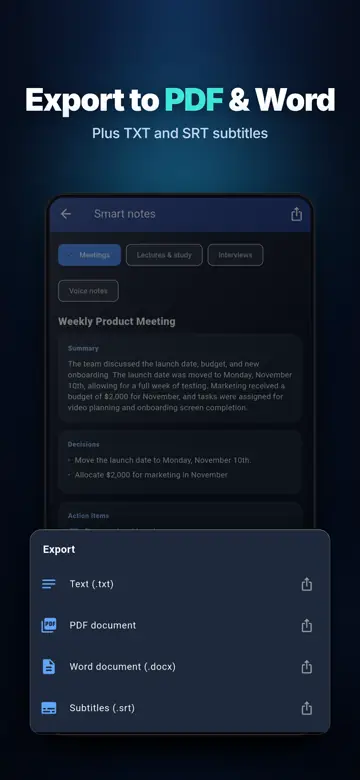
Copy or share the text. TXT export is free; PDF, Word (DOCX) and SRT subtitle export come with Pro.
Searchable history
Folders and search across file names, transcripts and summaries.
See the cost first
One minute of audio uses one minute of your balance, shown before you confirm; recordings with no speech are refunded.
Screenshots
Who it's for
- Students who record lectures and want notes and a quick quiz afterwards.
- Professionals who need meeting notes with decisions and action items.
- Journalists and researchers who transcribe interviews.
- Anyone with a video or voice memo on their phone who needs the text, or needs it in another language.
How it compares
Voxt is a phone-first transcription app. Services such as Otter.ai focus on live meetings, with integrations and speaker identification. Voxt is simpler: record or pick a file on your phone, get the text, and turn it into notes, a quiz or a translation. You pay for audio minutes and see the cost before each transcription.
Read the full comparison: Voxt vs Otter.ai →
What it does
- Transcribes recordings and audio or video files from your phone
- Detects the spoken language, with an option to correct it
- Creates meeting, lecture, interview and voice-note summaries
- Translates transcripts and answers questions about them
What it doesn't do
- No speaker labels: the transcript is plain paragraphs without “Speaker 1/2”
- No account or cloud sync between devices
- No desktop or Apple Watch app
- No meeting bot that joins Zoom or Google Meet calls
Frequently asked questions
Is Voxt free?
Yes. Voxt is free to download and includes free transcription minutes every month (the free balance is topped up to 20 minutes each month; up to 10 minutes per recording). Pro adds more minutes, longer recordings and PDF, Word and SRT export. Prices are shown in the store.
Is there a free trial?
Yes, the weekly Pro plan starts with a 3-day free trial. The store shows the exact offer before you confirm.
Which languages does Voxt understand?
Voxt detects the spoken language automatically and works with many languages; if the detection is wrong, you can transcribe again in the right language. Transcripts can be translated into 70+ languages, and the app itself is available in English, Turkish, German, French, Italian and Spanish.
Are my recordings private?
To transcribe, Voxt uploads your recording to its servers, where speech recognition and AI models create the text and notes. Recordings are used only to give you the result and are not used for advertising. Details are in the Voxt privacy policy.
Does Voxt work offline?
You can record without a connection: Voxt keeps the recording and uploads it when you are back online. Transcription and AI notes need an internet connection.
How do I cancel Pro?
Subscriptions are handled by Apple and Google. Cancel any time in your App Store account settings on iPhone or in Google Play → Payments & subscriptions on Android. To avoid being charged, cancel before the free trial ends.